
Lounge — a macOS Menu Bar Manager
Declutter Your Menu Bar
A macOS menu bar manager that brings order to your digital chaos. Organize, hide, and reveal menu bar items with style. A modern, notch-aware alternative to Bartender for hiding menu bar icons on macOS.
Your Menu Bar is a Mess
Every app adds another icon. Your MacBook's notch makes it worse. Finding what you need becomes a daily struggle.
Icon Overload
Every app wants a spot in your menu bar, cluttering your workspace.
Notch Nightmare
MacBook's notch hides your important icons, making them inaccessible.
Finding Icons
Searching for the right icon becomes a daily scavenger hunt.
Introducing Lounge
Your menu bar, perfectly organized. A modern Bartender alternative that's simple, elegant, and powerful.
Powerful Preferences
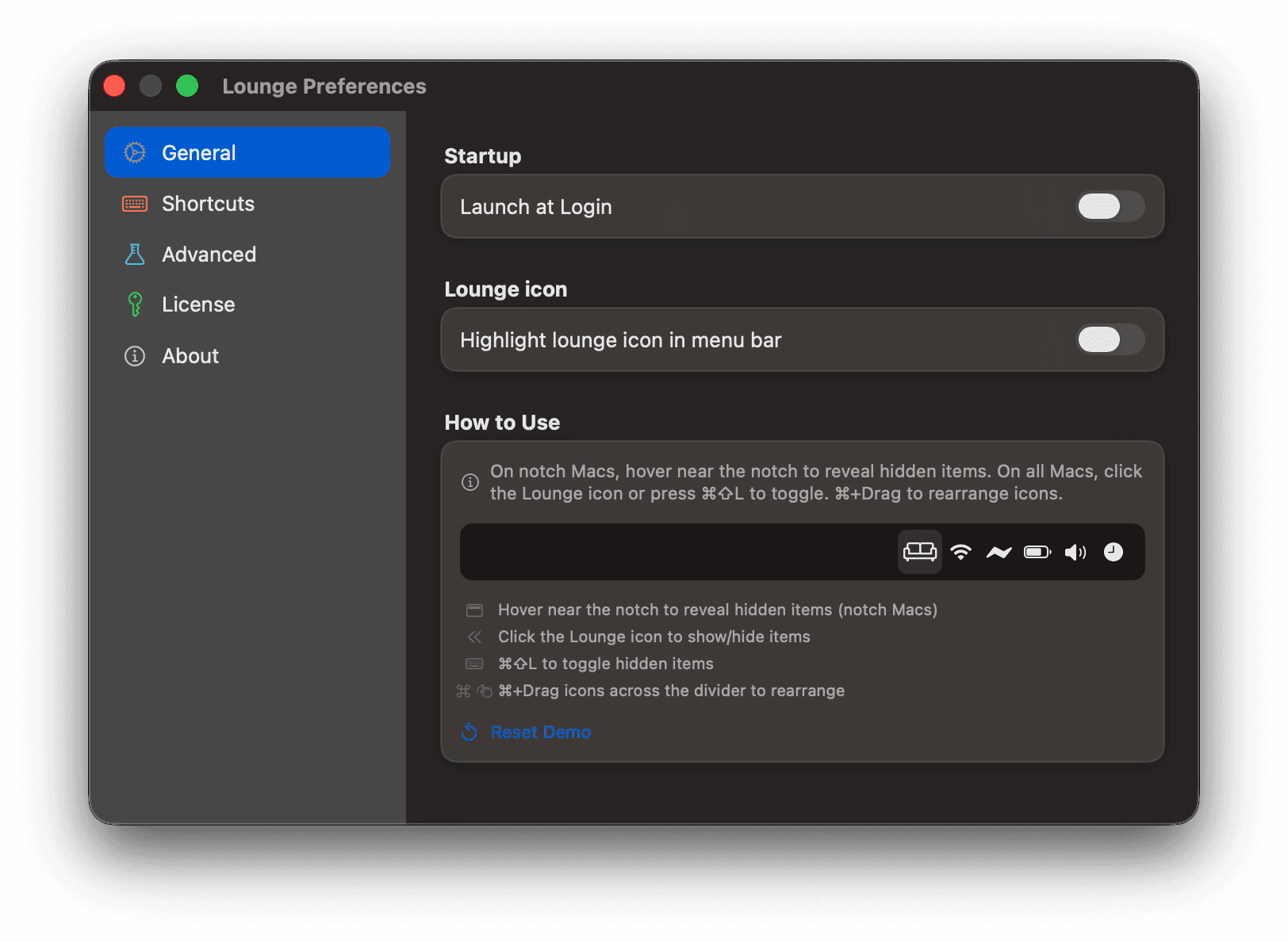
Fine-tune every detail from one clean settings panel. Launch at login, customize your Lounge icon, configure shortcuts, and manage your license — all in one place.
Drag & Drop
Effortlessly move icons between sections with intuitive drag and drop. Hold ⌘ and drag any icon across the divider to rearrange your menu bar.
Notch-Aware Panel
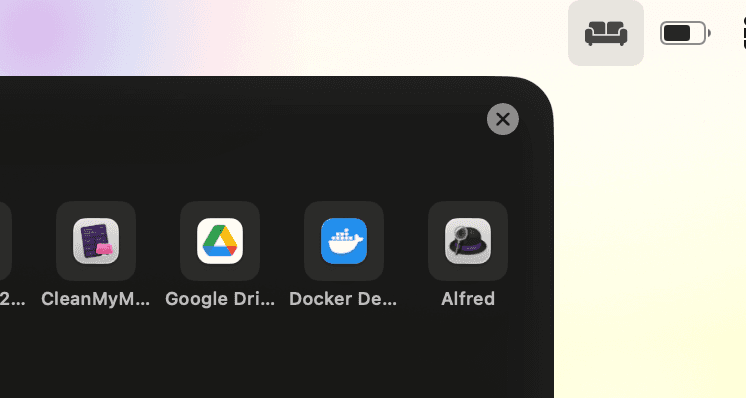
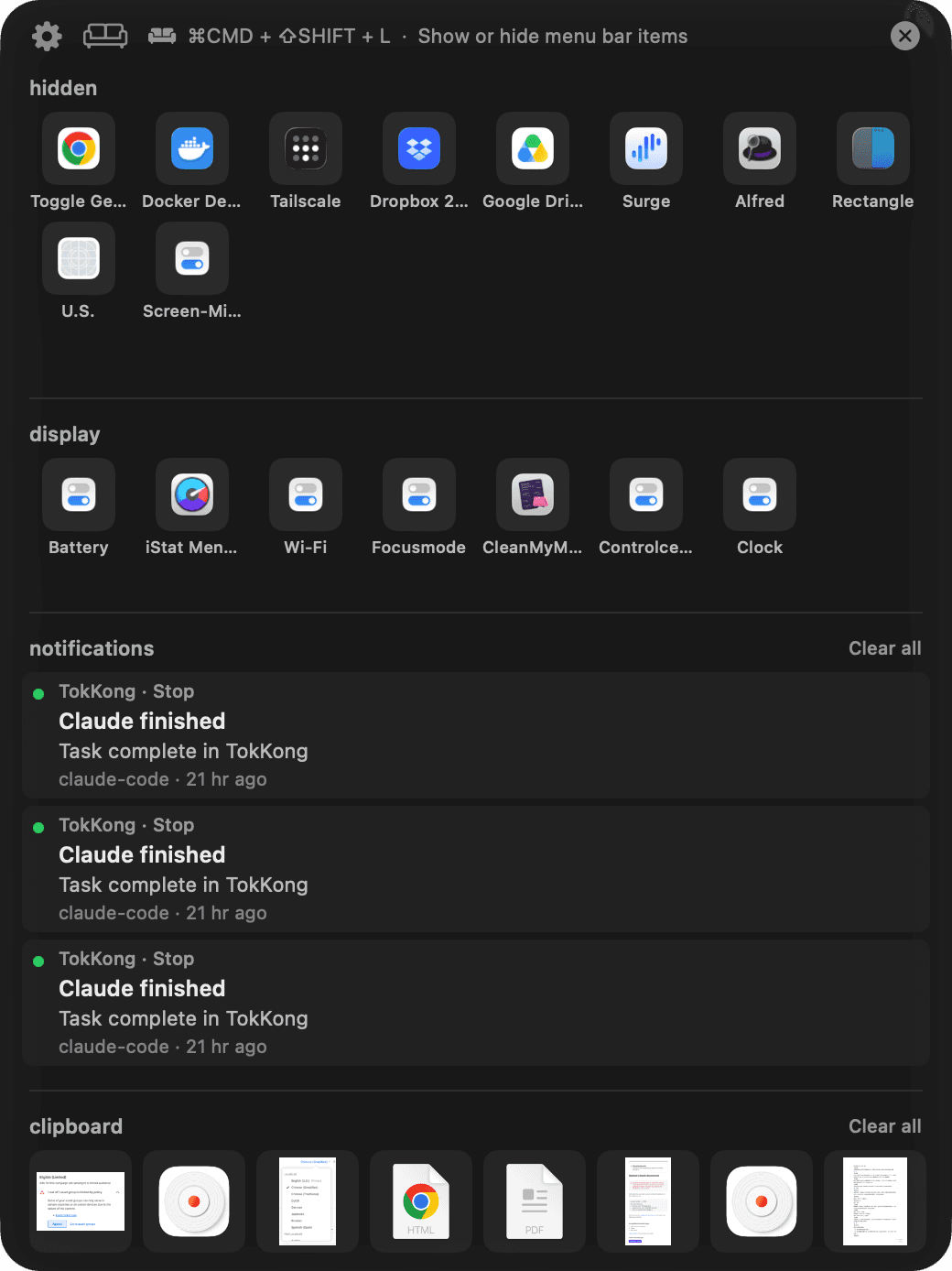
Hover near the notch to reveal a beautiful panel showing all your hidden and displayed icons, organized into clear sections — with clipboard history built right in, so you can search, review, and reuse recently copied snippets without breaking your flow.
Keyboard Shortcut
Press Cmd+Shift+L anytime to instantly toggle your hidden menu bar items.
Customizable Appearance
Choose from multiple icon styles, divider characters, and animation speeds to match your workflow.
Simple Pricing
One app. One price. No hassle.
Lounge
Menu Bar Manager for macOS
- ✓All features included
- ✓Updates during your active plan
- ✓7-day free trial
- ✓Annual subscription
Start your trial instantly
Not sure? Try it free for 7 days.
Wire any AI agent into your menu bar
Lounge Pro's local HTTP listener turns your menu bar into a notification sink for any CLI tool. First-party setup guides for Claude Code, Codex, Gemini, Cursor, and Aider — or copy our universal prompt and let the agent wire itself up.
Project name, event, and status all surface in a single panel row — no more generic "task complete" pings.
Frequently Asked Questions
Everything you need to know about Lounge.
Lounge is a menu bar manager for macOS. It hides and reveals menu bar icons so you can keep your menu bar clean, organized, and free of clutter.
Ready to Declutter?
Featured on Product Hunt. Download Lounge and take control of your menu bar.
Requires macOS 26.0 or later