Why look beyond Bartender 6 on Golden Gate?
In our macOS 27 permission and hiding test, Bartender 6 requested Accessibility and Screen Recording, gated its Layout editor when recording was off, and did not reliably hide an item even after the requested permissions were granted. The screenshot captures the Layout restriction; it does not mean every Bartender installation behaves that way. If your issue is the permission toggle itself, see the Bartender Screen Recording loop guide and why Bartender asks for recording.
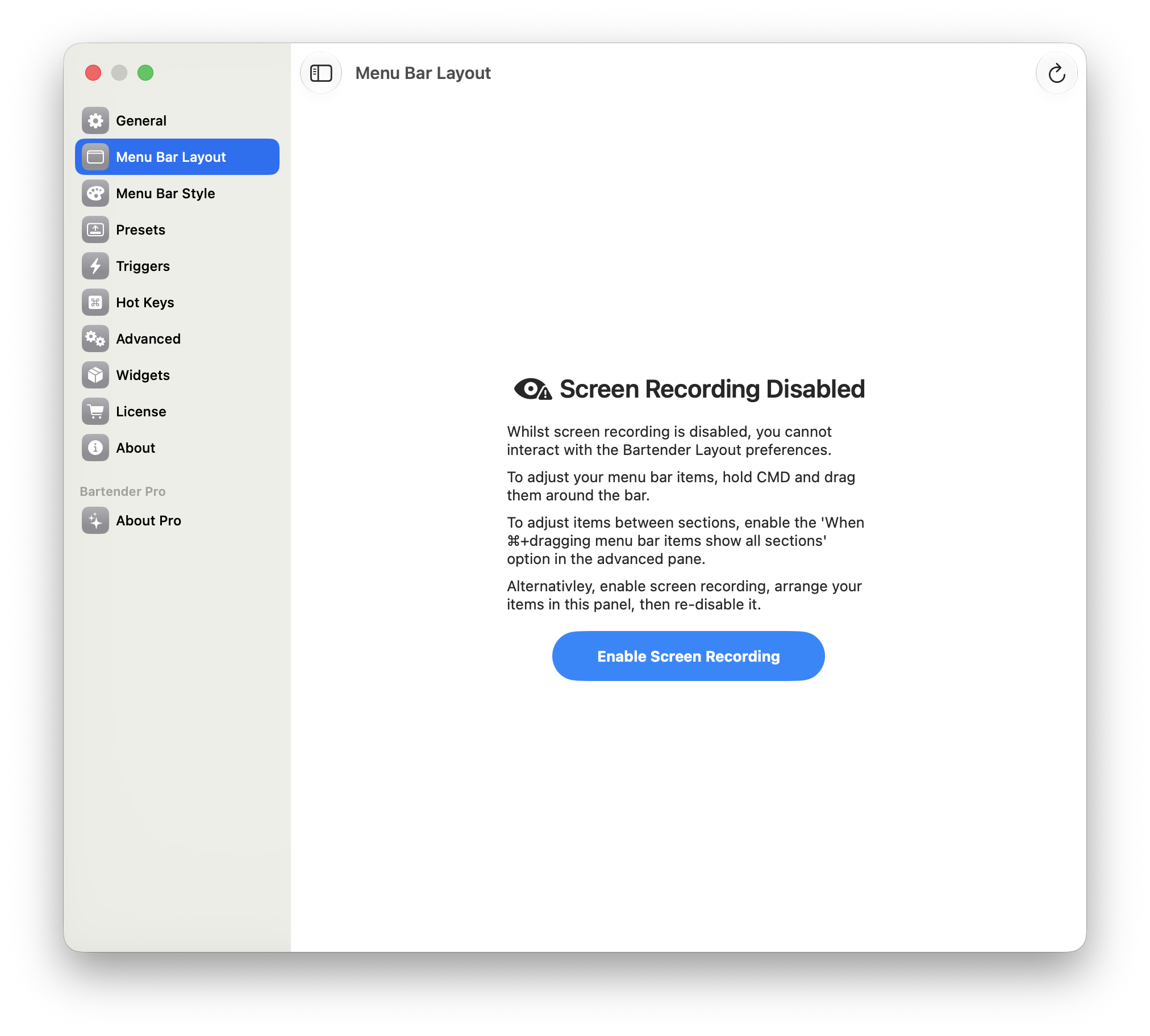
Bartender 6's Layout editor was blocked with Screen Recording off in our test.
This is a decision guide for someone switching from Bartender 6 on Golden Gate, rather than a replacement for our broader 2026 menu bar manager roundup. It uses that same test for the macOS 27 hiding column below. Versions and individual menu bar items can change the result.
Bartender alternatives for macOS 27, ranked
1. Lounge — the tested, one-permission switch
Lounge reliably hid items in our macOS 27 test while requesting Accessibility only. On a MacBook with a notch, its panel reveals hidden and visible icons near the camera housing. You can ⌘-drag an icon across the divider or use ⌘⇧L to toggle hidden items; clipboard history is included. It supports macOS 26 and later and costs $3.99/year, with a 7-day trial. It is the practical first try if your priority is hiding items without a recording request. For feature tradeoffs, read Lounge vs Bartender.
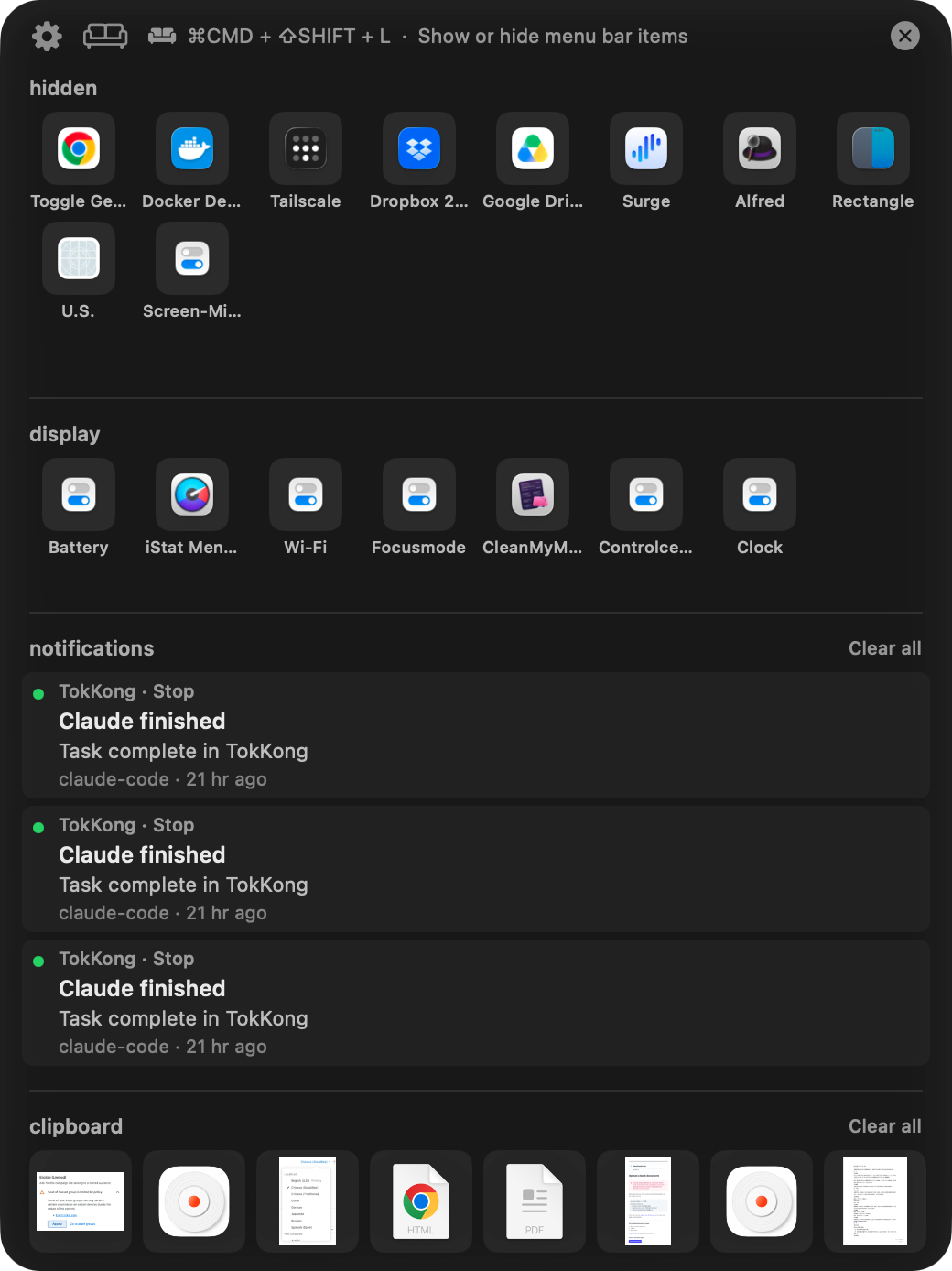
Lounge's panel shows hidden and visible icons beside the MacBook notch.
2. Ice — free and open source, with a limited mode
Ice is the free option to consider if you want more controls than a simple toggle and prefer open-source software. It requested Screen Recording in our test, but its own setup says it can run in a limited mode without recording. Ice did not reliably hide items on our macOS 27 setup, so verify the current build with your own icons before making it your daily manager.
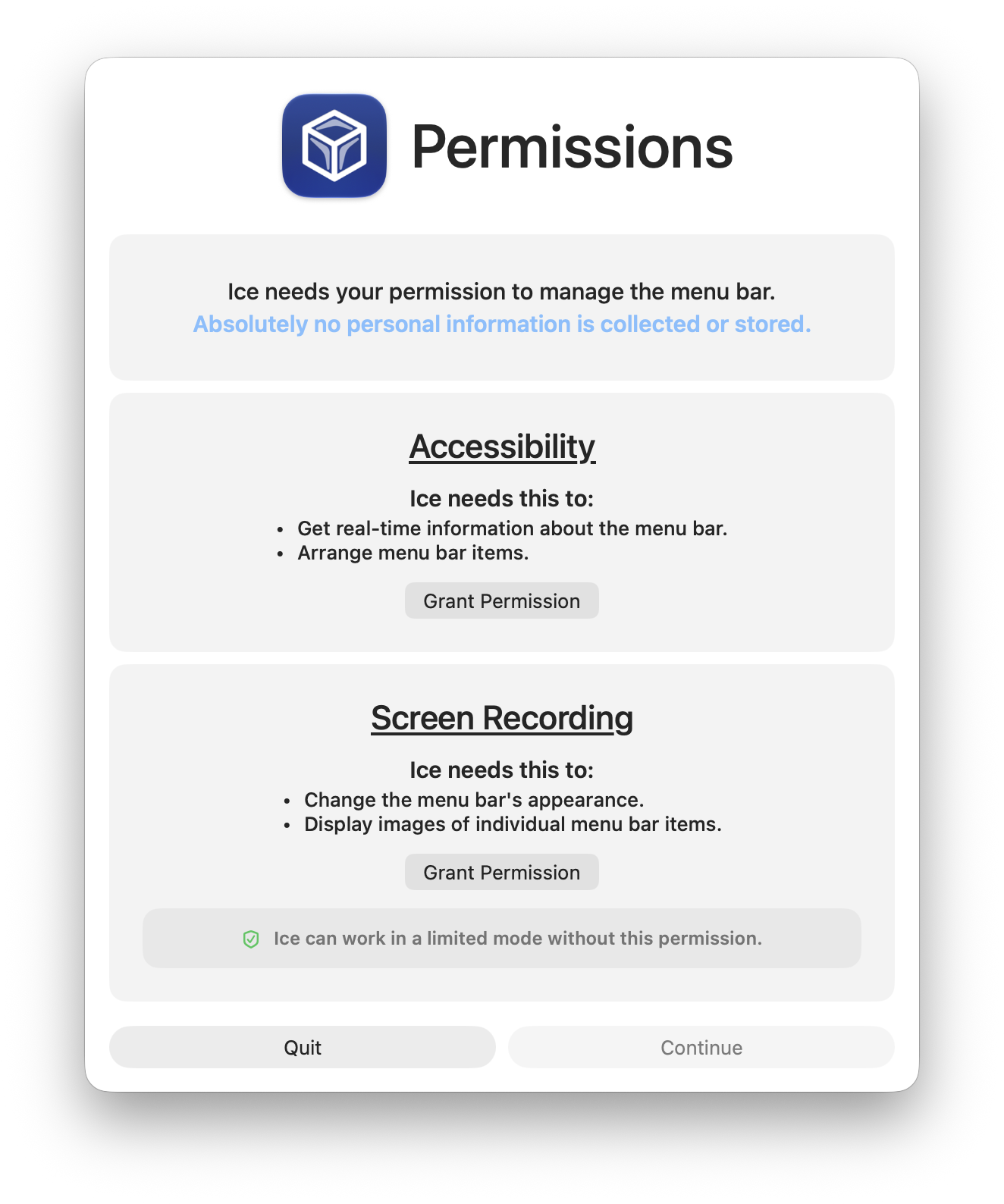
Ice's setup describes a limited mode when Screen Recording is unavailable.
3. Hidden Bar — the minimal free toggle
Hidden Bar is free and open source, and requested Accessibility only in our test. It offers a bare show/hide toggle rather than Lounge's notch panel or Bartender's rule engine. That simplicity may be exactly what you want, but it did not reliably hide items in the macOS 27 test. Try it with the specific apps you need to manage.
4. Thaw — open source with recording marked optional
Thaw is another free, open-source choice. It labels Accessibility required and Screen Recording Optional, making the permission decision clear during setup. Like Ice and Hidden Bar, it did not reliably hide items in our macOS 27 test. It is worth evaluating if an open-source tool with an explicit no-recording mode matters more to you than the result from our setup.
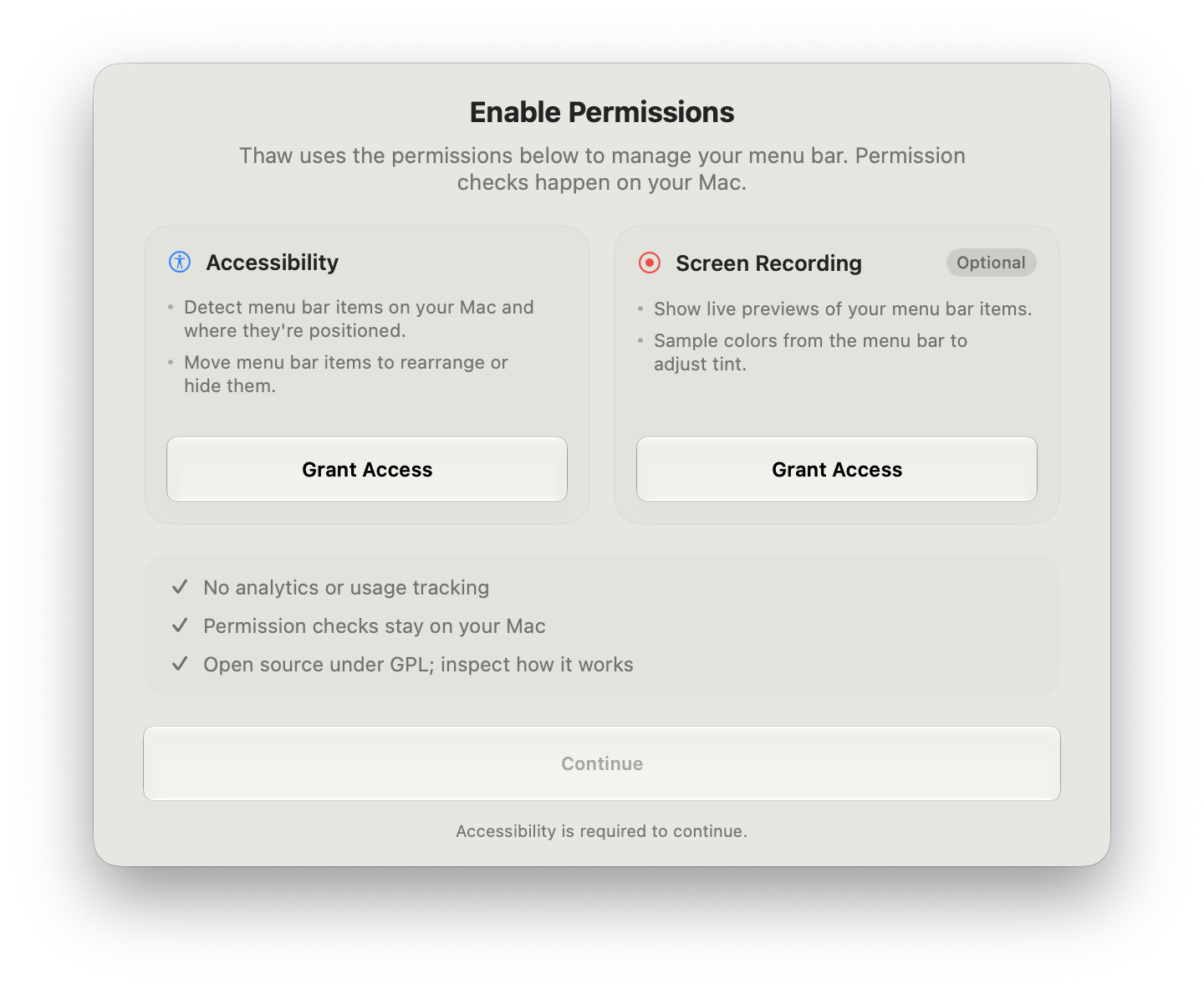
Thaw distinguishes its optional recording access from required Accessibility access.
Comparison on macOS 27 Golden Gate
| Manager | Permissions in test or developer guidance | Hid items in our macOS 27 test? | Notch handling | Price | Open source? |
|---|---|---|---|---|---|
| Lounge | Accessibility only | Yes, reliably | Dedicated notch panel | $3.99/year; 7-day trial | No |
| Ice | Accessibility; requested Screen Recording, with limited mode without it | No, not reliably | No dedicated notch panel in our comparison | Free | Yes |
| Hidden Bar | Accessibility only | No, not reliably | Bare toggle; no notch panel | Free | Yes |
| Thaw | Accessibility; Screen Recording marked Optional | No, not reliably | No dedicated notch panel in our comparison | Free | Yes |
| Bartender 6 (baseline) | Accessibility and Screen Recording; Layout gated behind recording | No, not reliably | Not assessed in this test | Paid | No |
| Bartender 7 (stay path) | Accessibility; Screen Recording optional per Bartender | Not tested | Notch overflow handling per Bartender | Paid | No |
The hiding column reflects the published hands-on test: Ice, Bartender 6, Thaw, Barbee, and Hidden Bar did not reliably hide items; Lounge did. Barbee also requested Screen Recording in that test, but it is not in this shortlist. Bartender 7's permission and notch entries come from Bartender's product page, not our testing.
Staying with Bartender: check version 7
If you rely on Bartender's deeper rules and layout options, switching products may be unnecessary. Bartender's Golden Gate release notes document its version 7 preview builds, and its Bartender 7 page says the app can function without Screen Recording by displaying app icons instead of captured images of menu bar items. That directly addresses one reason Bartender 6 users may want to leave. Check the release notes for the build you plan to use and try it with your own items. We have no Bartender 7 hiding result to compare with Lounge's macOS 27 test result, and no announced date for a Bartender 6 fix to the specific permission loop.
For a simpler setup, try Lounge during its 7-day trial. If you want to compare the wider field beyond this Bartender 6 switch decision, read the full menu bar manager roundup.